This blog covers key benefits and advantages we can achieve with the implementation of Oracle Service Bus 11g. Actually I have been asked by Client to list down the capabilities they will get with the Oracle Service Bus 11g Implementation and this is what they got from me and lead to this blog finally.
1. Service Virtualization :
2. Loose Coupling
OSB provides loose coupling by mediating between Service provided and Consumer. Without mediation Service consumer and provider will create dependency to each other. A change in single side provider/consumer will lead to the change dependent consumer/provider respectively. OSB bridges the gap of transport, message format, security technology etc.
3. Location Transparency
It’s a strategy to hide physical location of actual physical location of service endpoints from the Service Consumer. All Service consumers should know only single logical machine & port name for each service. This allows for greater flexibility when managing your services. You can add, move, prioritize and remove service endpoints as needed without needing to recompile your service consumer again.
4. Seamless Connectivity
While newer applications may expose services over standard, easily consumable interfaces such as SOAP, an overwhelming majority of the services available in enterprises are still locked in legacy systems, from mainframes to custom applications. The first task of an OSB is to ensure that all these existing assets can be easily accessed and integrated. An OSB offers rich and comprehensive connectivity options to standard interfaces (SOAP, messaging, etc.) and also to packaged applications and legacy systems via adapters such Siebel Adapter, Peoplesoft Adapter etc.
5. Routing
After having a seamless connectivity next task is that data and messages need to flow reliably. OSB offers efficient, secure and reliable transport options. OSB also provides advance routing facilities to determine where the data needs to go. Such routing can be done based on headers, content or other external rules.
6. Performance
OSB is stateless & light weight; hence provide the excellent performance result under stress conditions as well.
7. Transformation
Oracle Service Bus provides run time transformation capability and support industry standard for middleware :XML, XSLT, XQuery & XPath.
8. Support for Event Driven Architecture
Oracle Service Bus support Oracle’s latest Event Driven Architecture.
9. Security & Policy
OSB provides centralized way of implementing the Security for Integration which results into highest level of standardization and control on security issues. Security is best enforced using policy driven framework because it allows to implement security details outside of the Application & easy to maintain. This makes it complete pluggable component & highly Agile which can be changed without modifying the actual application as per the organization policy’s and compliance.
10. Service Polling
Oracle Service Bus supports service polling. This allows to OSB to automatically detect live service and remove others from the list. This has a significant impact in performance.
11. Load balancing & Failover
Oracle Service Bus supports multiple load balancing algorithms to load balance between endpoints. It automatically detects a failover and removes it from Load balanced urls.
12. Service Throttling
Service throttling is a new feature in Oracle Service Bus which allows to restrict the load for particular service. This has great value when it comes to Service up time.
13. Monitoring
Oracle Service Bus provides two way monitoring.
Proactive Monitoring: Here Integrator can monitor the dashboard and check the performance of the service bus which can help to tune the server effectively. Tracking the server performance over time can help to plan capacity planning well in advance.
Reactive Monitoring: Here OSB will monitor the Server and look for specific conditions to occur and it will automatically sends the Alert to users, Admin etc. Alert can be in the form of Email, JMS, SMS etc.
14. Message Validation
Oracle Service Bus support normal data level value check validation as well as Schematron Validation.
15. Value Added Feature
a. Support for Domain Value Map
b. Support for Cross Reference
c. Support for Package application Adapters
d. Support for Advance message formats such as SWIFT and FIX in financial Service Domain.
1. Service Virtualization :
A core principle of SOA is to ensure that any service consumer can access any service provider - and from any platform. This has been considered as key principle in OSB and it provides robust way of Vitalizing the Service. It’s a great value add in SOA Architecture.
2. Loose Coupling
OSB provides loose coupling by mediating between Service provided and Consumer. Without mediation Service consumer and provider will create dependency to each other. A change in single side provider/consumer will lead to the change dependent consumer/provider respectively. OSB bridges the gap of transport, message format, security technology etc.
3. Location Transparency
It’s a strategy to hide physical location of actual physical location of service endpoints from the Service Consumer. All Service consumers should know only single logical machine & port name for each service. This allows for greater flexibility when managing your services. You can add, move, prioritize and remove service endpoints as needed without needing to recompile your service consumer again.
4. Seamless Connectivity
While newer applications may expose services over standard, easily consumable interfaces such as SOAP, an overwhelming majority of the services available in enterprises are still locked in legacy systems, from mainframes to custom applications. The first task of an OSB is to ensure that all these existing assets can be easily accessed and integrated. An OSB offers rich and comprehensive connectivity options to standard interfaces (SOAP, messaging, etc.) and also to packaged applications and legacy systems via adapters such Siebel Adapter, Peoplesoft Adapter etc.
5. Routing
After having a seamless connectivity next task is that data and messages need to flow reliably. OSB offers efficient, secure and reliable transport options. OSB also provides advance routing facilities to determine where the data needs to go. Such routing can be done based on headers, content or other external rules.
6. Performance
OSB is stateless & light weight; hence provide the excellent performance result under stress conditions as well.
7. Transformation
Oracle Service Bus provides run time transformation capability and support industry standard for middleware :XML, XSLT, XQuery & XPath.
8. Support for Event Driven Architecture
Oracle Service Bus support Oracle’s latest Event Driven Architecture.
9. Security & Policy
OSB provides centralized way of implementing the Security for Integration which results into highest level of standardization and control on security issues. Security is best enforced using policy driven framework because it allows to implement security details outside of the Application & easy to maintain. This makes it complete pluggable component & highly Agile which can be changed without modifying the actual application as per the organization policy’s and compliance.
10. Service Polling
Oracle Service Bus supports service polling. This allows to OSB to automatically detect live service and remove others from the list. This has a significant impact in performance.
11. Load balancing & Failover
Oracle Service Bus supports multiple load balancing algorithms to load balance between endpoints. It automatically detects a failover and removes it from Load balanced urls.
12. Service Throttling
Service throttling is a new feature in Oracle Service Bus which allows to restrict the load for particular service. This has great value when it comes to Service up time.
13. Monitoring
Oracle Service Bus provides two way monitoring.
Proactive Monitoring: Here Integrator can monitor the dashboard and check the performance of the service bus which can help to tune the server effectively. Tracking the server performance over time can help to plan capacity planning well in advance.
Reactive Monitoring: Here OSB will monitor the Server and look for specific conditions to occur and it will automatically sends the Alert to users, Admin etc. Alert can be in the form of Email, JMS, SMS etc.
14. Message Validation
Oracle Service Bus support normal data level value check validation as well as Schematron Validation.
15. Value Added Feature
a. Support for Domain Value Map
b. Support for Cross Reference
c. Support for Package application Adapters
d. Support for Advance message formats such as SWIFT and FIX in financial Service Domain.


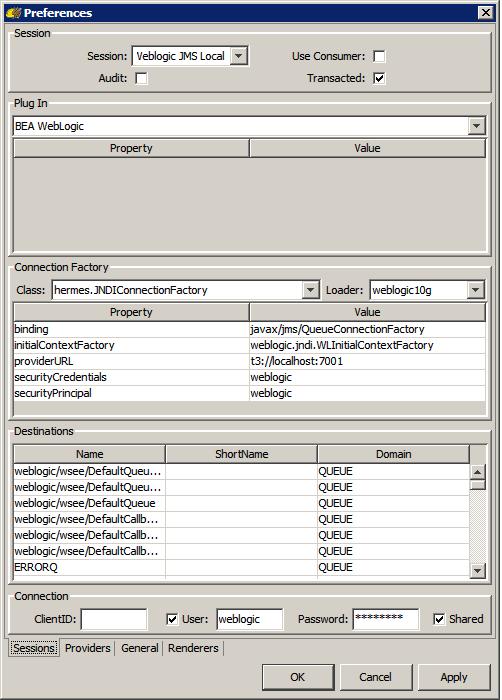
 9/10g/or higher versions's JMS resources.